AVoIP & signal-domain routing
Route audio, video, power, control-net, AVoIP (Dante, AES67, NDI), control-io and other AV/IT paths with connector, cable and protocol compatibility checks.
HTIFA turns the language of ports, signal domains, AVoIP networks, library packs, BYOK AI and drawing-set metadata into a browser-native workflow — purpose-built for AV integrators, consultants and AVIXA-certified designers.
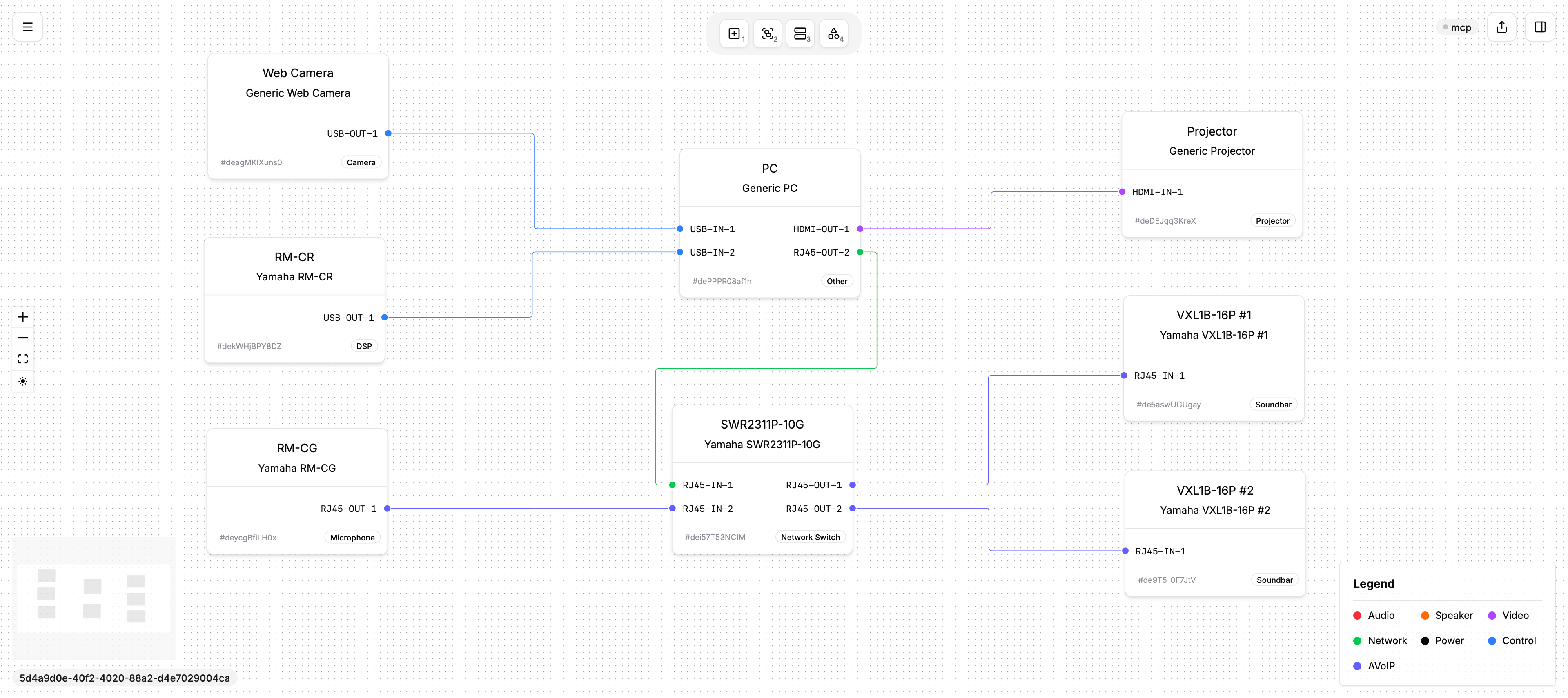
Every feature is shaped around schematic work, not generic boxes and arrows.
Route audio, video, power, control-net, AVoIP (Dante, AES67, NDI), control-io and other AV/IT paths with connector, cable and protocol compatibility checks.
Bring your own AI key to draft device definitions from datasheet notes. HTIFA keeps designers in control and treats full routing advice as beta.
Start with generic devices, then install free or Pro-gated library packs with real port maps, hardware metadata and cached offline access.
Generate PDFs with title blocks, revision metadata and signal legends. Free includes personal BOM CSV download; Pro removes the HTIFA watermark and lets reviewers download BOMs from share pages.
Publish readonly browser snapshots for clients and teammates. Free accounts include 5 lifetime shares; Pro removes the share limit.
Drawings autosave in the browser with JSON import/export, undo history and local library-pack cache before anything is shared.
Work with groups, tagged connections, minimap, zoom-to-cursor, snap-to-grid, alignment tools and manual route offsets.
Keep client, project, drawing, revision, drawn-by and checked-by fields with the schematic for consistent PDF output.
Drop displays, DSPs, codecs, switchers, microphones and control processors from generic presets or downloadable library packs.
Create normal wires or tagged links, group equipment by area, then tune orthogonal routes with manual offsets and alignment tools.
When the schematic is right, produce a readonly share link, watermarked PDF or personal BOM CSV. Pro removes the PDF watermark and adds shared-page BOM downloads.
The product is designed around AV schematic operations that normally get lost in generic diagramming tools.
Bring a room type, device list or existing PDF. HTIFA helps turn it into reusable signal logic.